Doomscrolling counter
Stopdoomscrolling.
A gorilla punches back while you binge Reels and Shorts.
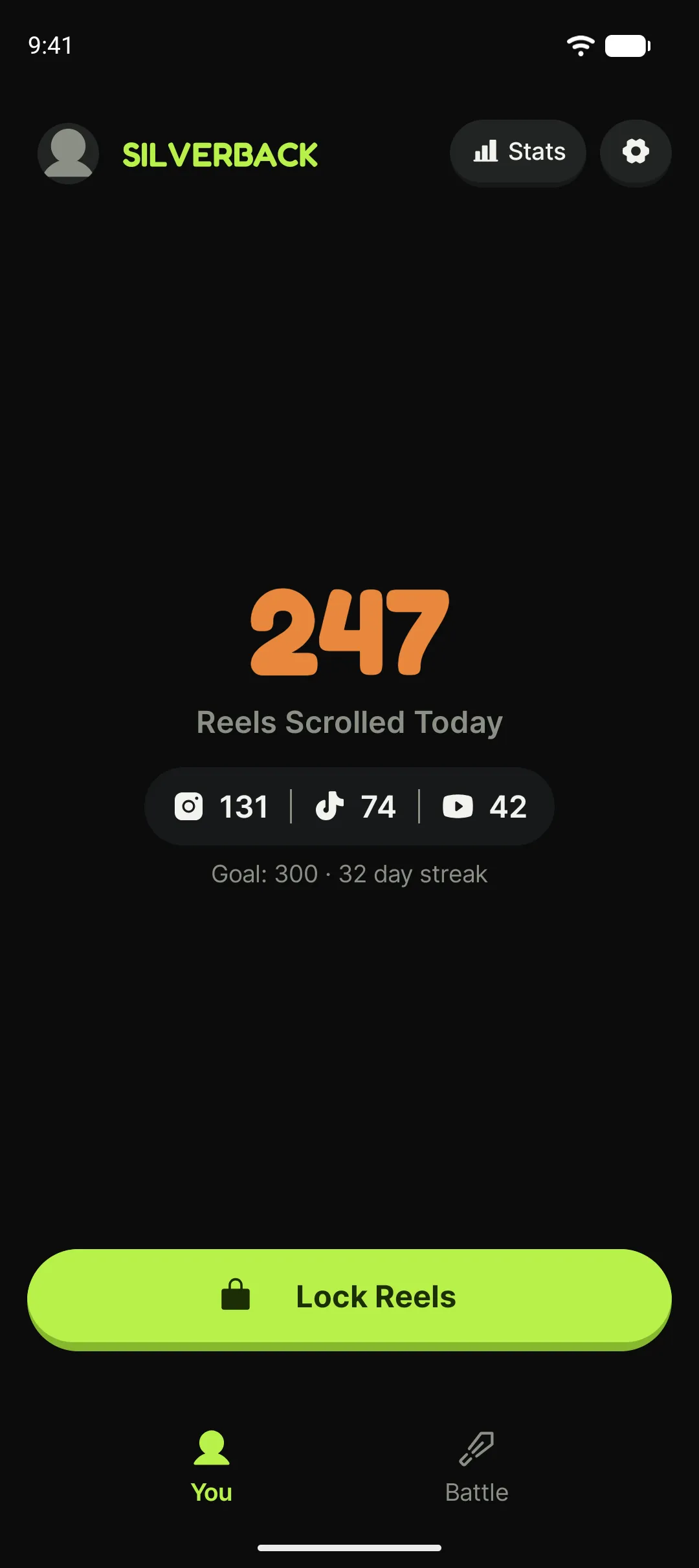
You open Reels for one minute and lose an hour. Silverback counts every short you scroll and puts the number on top of the app.
- Free
- No account
- Blocks nothing


What is Silverback?
Silverback is a free doomscrolling counter for Android. It counts the short videos you scroll on Instagram Reels, YouTube Shorts and TikTok, and shows the running total in a small overlay on top of the app you are scrolling in. Pass your daily goal and a gorilla punches the screen until the glass cracks. It blocks no apps and never locks your phone. The default goal is 100 videos a day, which works out at roughly 40 minutes.
As the threshold heats up
The gorilla wakes up one level at a time
Calm
Under your goal. The gorilla is behind you, watching quietly.
Shook
The count climbs. The first crack shows on screen.
Heated
You are at your goal. The crack spreads and the colour warms up.
Punch
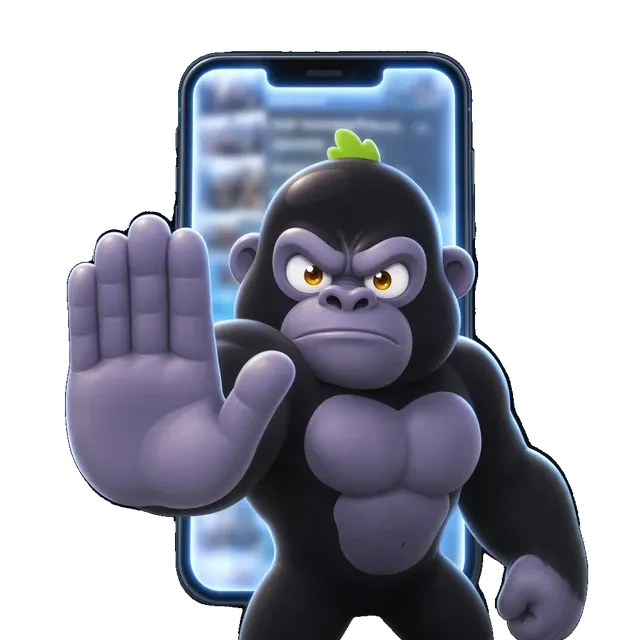
Past your goal. The gorilla hits the screen and the glass cracks. Carrying on is still your call.




Why Silverback
You tried willpower. It didn’t work.
This one talks to your attention instead of your discipline.

See the damage
A live count of every reel and short you watch today. Screen time you never noticed turns into one number.
The gorilla punches back
The counter sits on top of whatever you are scrolling. At every threshold the gorilla shows up, hits the screen and cracks the glass.
Set your own daily goal
You decide how much is enough. The counter, your streak and the break prompt all read from that one number.
Build a streak
Every day you finish under your goal grows your record. You put the phone down to keep it alive.
Earn badges
Collect medals as your focus grows. A home-screen widget keeps the gorilla in sight.
Battle your friends
Least scrolling wins. Invite your best friend, your rival, or your flatmate.
What makes it different
Why we block nothing
App blockers all end the same way: one day you switch them off. The harder the barrier, the more you want to beat it, and the day you do the habit comes back stronger than before. Silverback puts up no barrier. Scroll as much as you like. The gorilla only tells you how many, and makes you feel it once you pass your goal.
No lockout
No app gets closed and no screen gets locked.
No guilt trip
The gorilla won’t scold you. It shows the number and leaves the rest to you.
Optional break
Want a firmer nudge? Turn on the break timer. It is off by default and ends any time you press and hold.
Stays on device
Screen content is processed on your phone: the app takes no screenshots, reads nothing you type, and stores no content. Limited pseudonymous technical diagnostics may be processed to improve the app.
Privacy Policy
How it works
Three steps, zero lectures
Install and allow
Grant the accessibility permission so the gorilla can see short-video scrolling.
Scroll, it counts
Scroll Reels, Shorts or TikTok. Silverback counts and shows the number on top.
Pass your goal, take the punch
The moment you go past your daily goal the gorilla hits the screen. Carrying on is your call.
Battle
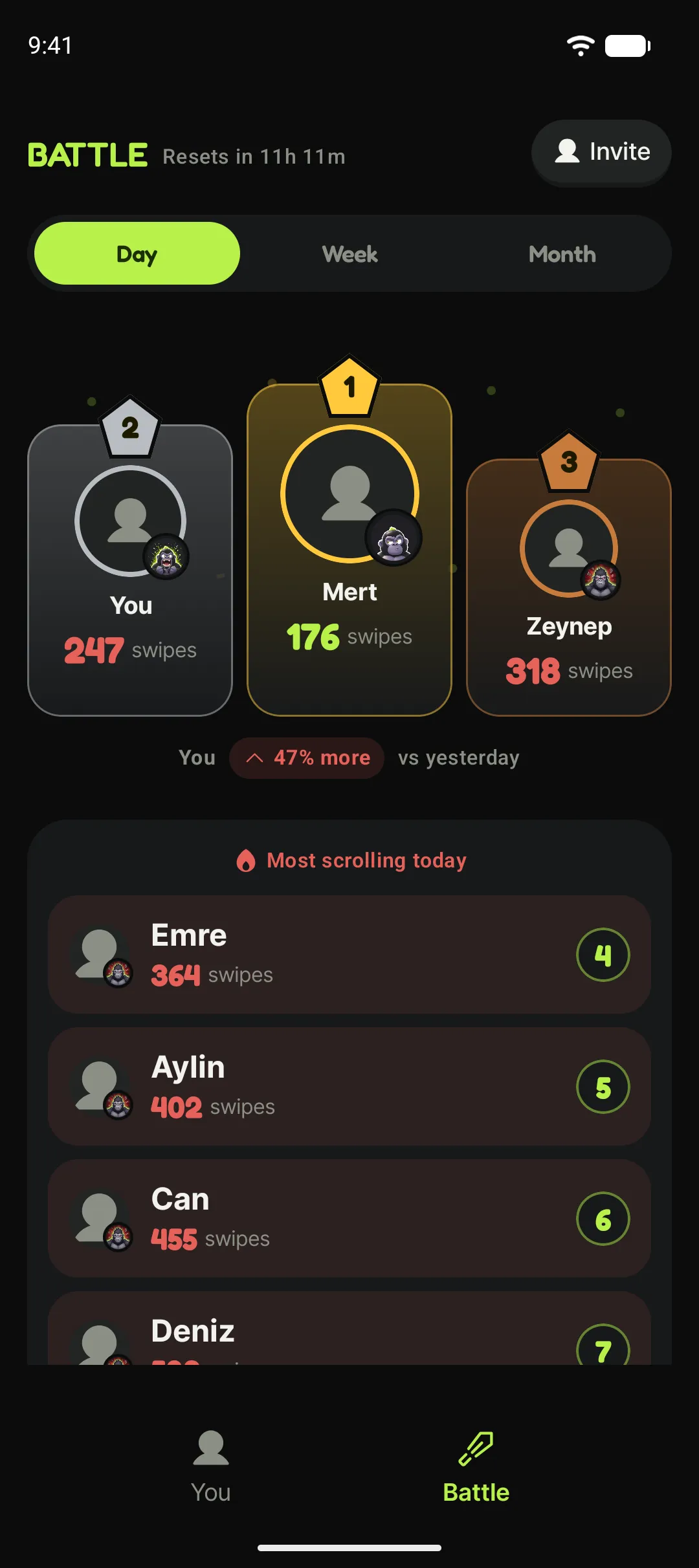
Least scrolling wins
Share a code and your friend is in. Then argue for weeks about who scrolls less.
- Send the invite link and your friend joins in one tap.
- Live score: who hit rock bottom today and who held.
- Nobody can add you without your approval, and your score stays hidden until you accept.
FAQ
Questions people ask
Does Silverback block Instagram or TikTok?
No. Silverback blocks no apps and never locks your phone. It counts the videos you scroll, and once you pass your daily goal a gorilla punches the screen to get your attention. There is an optional break timer if you want something firmer, and even that ends the moment you press and hold. This is deliberate: when a blocking barrier gets beaten, the habit tends to come back stronger.
How does it count the videos I scroll?
It uses Android’s accessibility service to see which app you are in and when you scroll. It is tuned separately for Instagram Reels, YouTube Shorts and TikTok, and only counts while you are on a short-video screen. Browsing the normal feed does not count. All of this happens on your phone.
Why does it need the accessibility permission?
On Android, the accessibility service is the only way an app can tell what is happening inside another app. Silverback learns exactly two things from it: which app you are in, and whether you scrolled. You can revoke the permission any time under Settings > Accessibility, and the app cannot count without it.
How is this different from other screen time apps?
Screen time tools give you minutes: "47 minutes on Instagram". Silverback gives you videos: "247 reels". Minutes stay abstract; a count does not. The second difference is blocking. Digital Wellbeing and similar tools close the app or put a timer on it, and Silverback does neither.
Is it free?
Yes. The counter, the gorilla reactions, your daily goal, streak tracking and badges are free and work without an account. An optional Pro subscription adds extras like detailed statistics and the friend battle.
Can it see my screenshots or what I type?
No. Silverback takes no screenshots, reads no text, and never stores or sends screen content. When product analytics is enabled, it processes a pseudonymous identifier and aggregate technical diagnostics to improve counting reliability; see the Privacy Policy for details.
How many short videos a day is normal?
There is no single right number, but a rough scale helps. Short videos average 20-30 seconds, so 200 a day is roughly 1.5-2 hours. Silverback’s default daily goal is 100, and most people are surprised to find themselves well above it on day one.
Is there an iPhone version?
Android only for now. iOS does not let apps draw over other apps or detect scrolling inside them, so the way Silverback works is not possible on iPhone.
Does it drain the battery?
Not noticeably. The counter only runs while you are actually on a short-video screen. Leave Reels and the background service stops shortly after.